Have you ever watched a YouTube video and wanted to save its thumbnail? Maybe you need it for inspiration, want to check the original design, or simply want to keep a copy for reference.
Downloading a YouTube thumbnail is easier than downloading the video itself. You don’t need to download the entire video, install complicated software, or use a screen recorder.
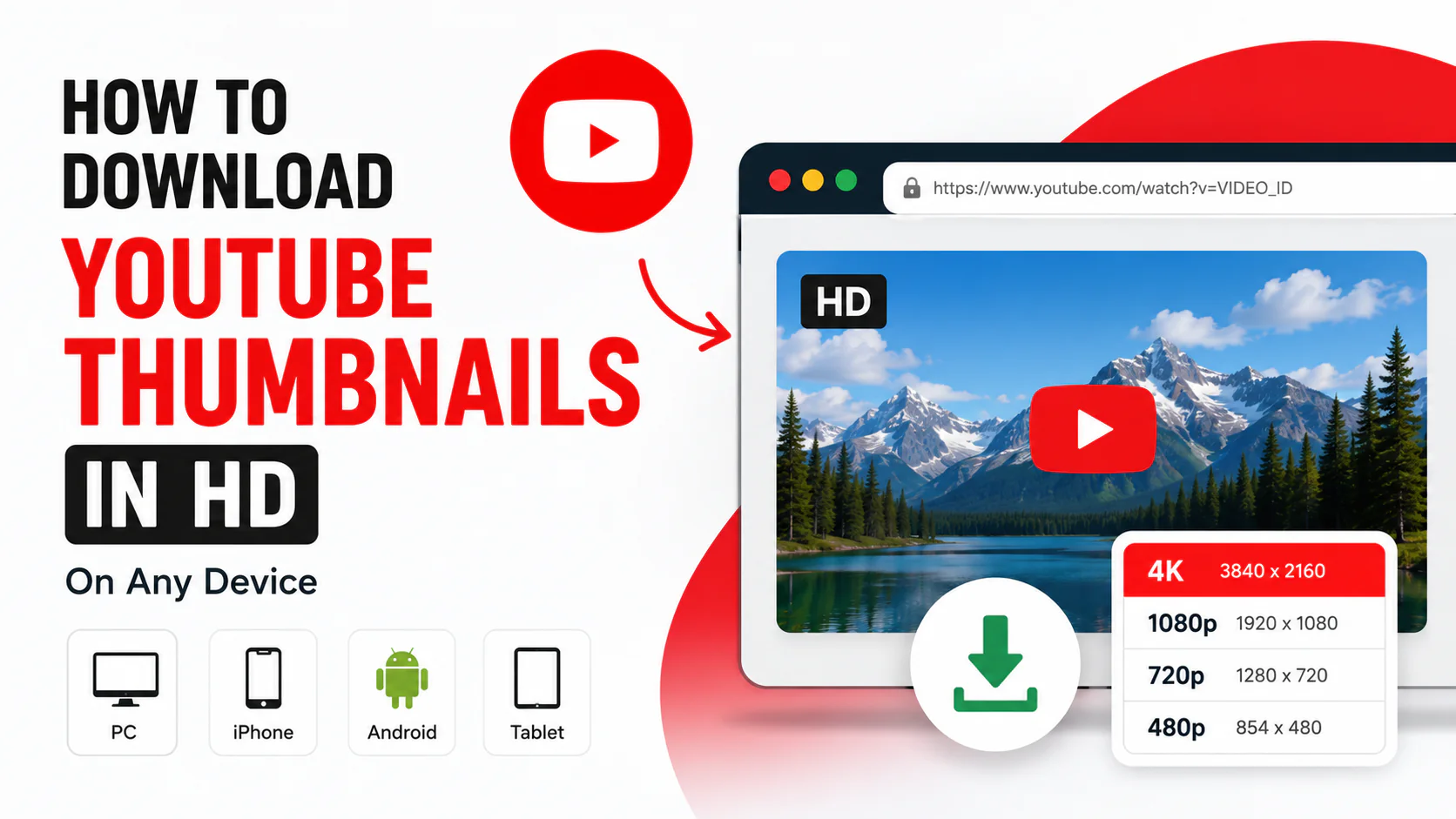
In this guide, you’ll learn how to download YouTube thumbnails in HD on a computer, iPhone, Android phone, and other devices.
Quick Answer: How to Download a YouTube Thumbnail
The easiest way is to use a YouTube thumbnail downloader.
Step 1: Copy the YouTube video URL
Open the YouTube video whose thumbnail you want to download and copy its URL.
For example:
https://www.youtube.com/watch?v=VIDEO_ID
Step 2: Open a YouTube thumbnail downloader
Go to YT Thumbnail Downloader and paste the YouTube video URL into the downloader.
Step 3: Generate the thumbnail
Click the download or generate button.
The tool will identify the available thumbnail image associated with the video.
Step 4: Select the available quality
Depending on the video, you may see different image resolutions.
Choose the highest available quality if you need the clearest version.
Step 5: Download the image
Save the thumbnail to your device.
That’s it.
You can now view the downloaded thumbnail in your image gallery or file manager.
What Is a YouTube Thumbnail?
A YouTube thumbnail is the preview image associated with a YouTube video.
It gives viewers a visual idea of what a video is about before they click it.
Creators commonly use thumbnails to:
- Highlight the main subject of a video
- Communicate the video’s topic
- Make videos easier to recognize
- Create a consistent channel style
- Attract attention in search and recommendations
For creators, thumbnails are an important part of the overall presentation of a video.
How to Download a YouTube Thumbnail on PC
Downloading a YouTube thumbnail on a Windows PC or Mac is straightforward.
Method 1: Use a YouTube Thumbnail Downloader
This is the easiest method for most users.
- Open YouTube.
- Find the video.
- Copy the video URL.
- Open a YouTube thumbnail downloader.
- Paste the URL.
- Generate the thumbnail.
- Select the available image quality.
- Save the image to your computer.
This method works without downloading the entire YouTube video.
Method 2: Find the Thumbnail Image URL
You can also access thumbnail image URLs directly.
A YouTube video has several thumbnail versions that may be available at different resolutions.
For example, YouTube commonly uses image files associated with the video’s ID.
However, not every video will necessarily have every high-resolution thumbnail available.
That’s why using a thumbnail downloader can be easier for most users.
How to Download a YouTube Thumbnail on Windows
If you’re using Windows, you can download the thumbnail directly through your web browser.
Steps
1. Open YouTube
Go to YouTube and open the video.
2. Copy the URL
Copy the complete URL from your browser’s address bar.
3. Open the thumbnail downloader
Open your preferred YouTube thumbnail downloader.
4. Paste the URL
Paste the video link into the input field.
5. Generate the thumbnail
The tool will process the video URL and display the available thumbnail.
6. Download the image
Choose the quality you want and save the image.
The downloaded file can then be found in your browser’s Downloads folder.
How to Download a YouTube Thumbnail on Mac
The process on Mac is almost identical.
- Open Safari, Chrome, or another browser.
- Go to YouTube.
- Open the video.
- Copy the video URL.
- Open a YouTube thumbnail downloader.
- Paste the URL.
- Generate the thumbnail.
- Download the image.
The file will normally appear in your Mac’s Downloads folder unless you have changed your browser’s download location.
How to Download a YouTube Thumbnail on iPhone
You can also download YouTube thumbnails on an iPhone.
Step 1: Open YouTube
Find the video you want to use.
Step 2: Copy the video link
Tap Share and select Copy link.
Step 3: Open Safari
Open Safari and visit a YouTube thumbnail downloader.
Step 4: Paste the link
Paste the YouTube video URL into the downloader.
Step 5: Generate the thumbnail
Tap the button to generate or retrieve the thumbnail.
Step 6: Save the image
Open the generated image and use the browser’s save/download option.
Depending on your iPhone and browser settings, the image may be saved to Photos or the Files app.
How to Download a YouTube Thumbnail on Android
Android users can follow almost the same process.
- Open the YouTube app.
- Find the video.
- Tap Share.
- Select Copy link.
- Open Chrome.
- Open a YouTube thumbnail downloader.
- Paste the video URL.
- Generate the thumbnail.
- Download the image.
The downloaded image will normally be available in your Downloads folder or Gallery, depending on your device.
How to Download a YouTube Thumbnail in HD
The term “HD” can mean different things depending on the available image.
YouTube’s current documentation recommends custom video thumbnails at 3840 × 2160 pixels, with a 16:9 aspect ratio. It also specifies a minimum width of 640 pixels for video thumbnails.
When downloading an existing thumbnail, however, you can only retrieve the resolution that is actually available for that thumbnail.
For example, you might encounter:
- 640 × 360
- 1280 × 720
- 1920 × 1080
- 3840 × 2160
The exact available resolution can vary.
Important
A downloader cannot magically turn a low-resolution source image into a genuine high-resolution original.
If the available thumbnail is 1280 × 720, downloading it does not create additional image detail.
How to Download a YouTube Thumbnail in 1080p
1080p refers to an image with a resolution of:
1920 × 1080 pixels
This maintains the standard 16:9 aspect ratio.
If a 1920 × 1080 version of a thumbnail is available, you can download that version for a Full HD image.
For many users, 1920 × 1080 is more than enough for viewing, reference, social media posts, or design research.
How to Download a YouTube Thumbnail in 4K
4K commonly refers to:
3840 × 2160 pixels
YouTube currently recommends 3840 × 2160 pixels for custom video thumbnails.
However, this does not mean that every YouTube video has an original 4K thumbnail available.
When downloading an existing thumbnail, the actual image resolution depends on the thumbnail provided for that video.
Before calling a thumbnail “4K,” check its actual pixel dimensions.
YouTube Thumbnail Size and Aspect Ratio
For standard YouTube videos, the recommended thumbnail aspect ratio is 16:9. YouTube recommends a resolution of 3840 × 2160 pixels for custom video thumbnails.
Here are some common 16:9 dimensions:
| Resolution | Aspect Ratio |
| 640 × 360 | 16:9 |
| 1280 × 720 | 16:9 |
| 1920 × 1080 | 16:9 |
| 2560 × 1440 | 16:9 |
| 3840 × 2160 | 16:9 |
If you are creating a new thumbnail, 3840 × 2160 is the current recommended resolution from YouTube.
How to Download a YouTube Shorts Thumbnail
YouTube Shorts use a vertical format.
YouTube currently recommends 2160 × 3840 pixels and a 9:16 aspect ratio for Shorts thumbnails.
The process is similar:
- Open the Short.
- Copy its URL.
- Open a YouTube thumbnail downloader.
- Paste the URL.
- Generate the available thumbnail.
- Download the image.
Keep in mind that YouTube’s handling of Shorts thumbnails differs from standard long-form videos. YouTube currently says custom Shorts thumbnails can be added in YouTube Studio on a computer for verified accounts.
Can You Download a YouTube Thumbnail Without Downloading the Video?
Yes.
A thumbnail is an image associated with the video, so you don’t need to download the entire video just to obtain the thumbnail.
This can save time and data, especially if you only need the image.
For example, if a YouTube video is several hundred megabytes but you only need its thumbnail, downloading the image is considerably more convenient than downloading the video.
Can You Download YouTube Thumbnails Without Installing Software?
Yes.
A browser-based YouTube thumbnail downloader can be used without installing desktop software or a mobile application.
This can be particularly useful when you’re working from:
- Windows
- Mac
- iPhone
- iPad
- Android
- Chromebook
All you need is a browser and the YouTube video URL.
How to Check the Downloaded Thumbnail Resolution
After downloading a thumbnail, you can check its actual dimensions.
Windows
Right-click the image and select Properties.
Look for the image dimensions under the Details tab.
Mac
Right-click the image and select Get Info.
You can also open the image in Preview and check its dimensions.
iPhone
Open the image in Photos and check the image information.
Android
Open the image in Gallery or Google Photos and view its information or details.
The important numbers are the width and height in pixels.
For example:
3840 × 2160
means:
- Width: 3840 pixels
- Height: 2160 pixels
- Aspect ratio: 16:9
Why Download a YouTube Thumbnail?
There are several legitimate reasons to download a thumbnail.
1. Design research
Creators can study how successful channels use:
- Colors
- Text
- Faces
- Composition
- Contrast
- Images
2. Keeping a personal reference
You may want to keep a copy of a thumbnail for personal reference or research.
3. Comparing thumbnail designs
If you’re experimenting with your own channel, looking at different thumbnail styles can help you understand visual patterns.
4. Checking image quality
Downloading the image allows you to inspect its actual resolution and quality.
5. Creating design inspiration
A collection of thumbnail examples can help you understand different approaches to video packaging.
Does a High-Resolution Thumbnail Get More Views?
Not necessarily.
A high-resolution image can look sharper, but resolution alone doesn’t guarantee more views.
A successful thumbnail also needs to be:
- Relevant to the video
- Easy to understand
- Visually clear
- Readable at a small size
- Distinct from competing thumbnails
A 4K thumbnail with poor design can perform worse than a well-designed Full HD thumbnail.
Resolution is only one part of the overall thumbnail.
YouTube Thumbnail File Formats
YouTube recommends common image formats such as JPG and PNG for custom thumbnails.
JPG
JPG is useful for photographs and images with many colors.
Advantages include:
- Smaller file sizes
- Good photo quality
- Easy sharing
- Fast loading
PNG
PNG can be useful for graphics, text-heavy designs, logos, and images where you want to preserve sharper edges.
However, PNG files can become much larger than JPG files.
YouTube Thumbnail File Size Limits
YouTube currently lists different file-size limits depending on the device used to upload a thumbnail.
For video thumbnails, the limit is 2 MB on mobile and 50 MB on desktop.
If your image is too large, you may need to compress it before uploading.
For example, exporting a photographic thumbnail as a high-quality JPG can significantly reduce the file size while maintaining good visual quality.
Is It Legal to Download YouTube Thumbnails?
Downloading an image does not automatically give you permission to reuse it however you want.
A thumbnail may contain:
- Copyrighted photographs
- Logos
- Artwork
- Brand elements
- A creator’s original design
- Other copyrighted material
If you’re downloading a thumbnail for personal reference, that is different from copying it and publishing it as your own.
Before reusing someone else’s thumbnail commercially or on another website, make sure you have the necessary rights or permission.
Also avoid using downloaded thumbnails in a way that could mislead viewers or suggest that you created the original work.
Best Practices When Downloading YouTube Thumbnails
For the best results:
Use the original video URL
A direct YouTube URL makes it easier to identify the correct video.
Download the highest available quality
If multiple resolutions are available, choose the highest-quality version that you actually need.
Check the dimensions
Don’t assume that an image labeled “HD” or “4K” has a particular resolution. Check the actual pixel dimensions.
Keep the original file
If you’re using the image for research, avoid repeatedly saving and recompressing the same image.
Respect copyright
Downloading an image and owning a copy of the file are not the same as owning the copyright.
Frequently Asked Questions
What is the best YouTube thumbnail size?
For standard YouTube videos, YouTube currently recommends 3840 × 2160 pixels with a 16:9 aspect ratio.
Can I download a YouTube thumbnail in HD?
Yes. You can use a YouTube thumbnail downloader to retrieve the highest available version of a video’s thumbnail.
Can I download YouTube thumbnails on my phone?
Yes. You can use a browser-based thumbnail downloader on both Android and iPhone.
Can I download a YouTube thumbnail without downloading the video?
Yes. You only need the video’s URL to retrieve its thumbnail.
What is the YouTube thumbnail size for Shorts?
YouTube recommends 2160 × 3840 pixels with a 9:16 aspect ratio for Shorts thumbnails.
Is 1920 × 1080 a good YouTube thumbnail size?
Yes. 1920 × 1080 has the correct 16:9 aspect ratio and is a practical Full HD size. However, YouTube currently recommends 3840 × 2160 for custom video thumbnails.
Can I download a YouTube thumbnail in 4K?
You can download the highest-resolution thumbnail available for a video. If the available image is actually 3840 × 2160 pixels, it is 4K resolution.
Can I download a thumbnail from a YouTube Short?
Yes, you can retrieve the thumbnail associated with a Short using a compatible thumbnail downloader. The available image and resolution can vary.
Do YouTube thumbnail downloaders download videos?
A thumbnail downloader is designed to retrieve the image rather than the complete video.
In Summary
Downloading a YouTube thumbnail doesn’t need to be complicated.
Whether you’re using a Windows PC, Mac, iPhone, Android phone, or Chromebook, the simplest approach is usually to copy the YouTube video URL, paste it into a thumbnail downloader, select the available quality, and save the image.
For creators, remember that a high-resolution image is only the starting point. YouTube currently recommends 3840 × 2160 pixels for standard video thumbnails and 2160 × 3840 for Shorts, but good composition, clear messaging, and relevance are what make a thumbnail useful to viewers.
If you want to quickly retrieve a thumbnail from a YouTube video, try YT Thumbnail Downloader and check the available image resolution before downloading.